Most TLDs (Domain Name Extensions) have a Domain (Transfer) Secret / Authorization Code associated with them. This serves as a password and is required to authenticate domain name Transfers.
The following TLDs do not support Domain (Transfer) Secret / Authorization Code:
also allows you to modify your Domain (Transfer) Secret for each domain name. You can, thus, have a Domain (Transfer) Secret of your choice for each domain name.
To View/Modify a Domain (Transfer) Secret / Authorization Code (except for .DE domain names)
-
Login to your control panel. Learn how.
-
Search for the domain name whose Domain Secret you wish to view/modify and select the domain to view the order information.
-
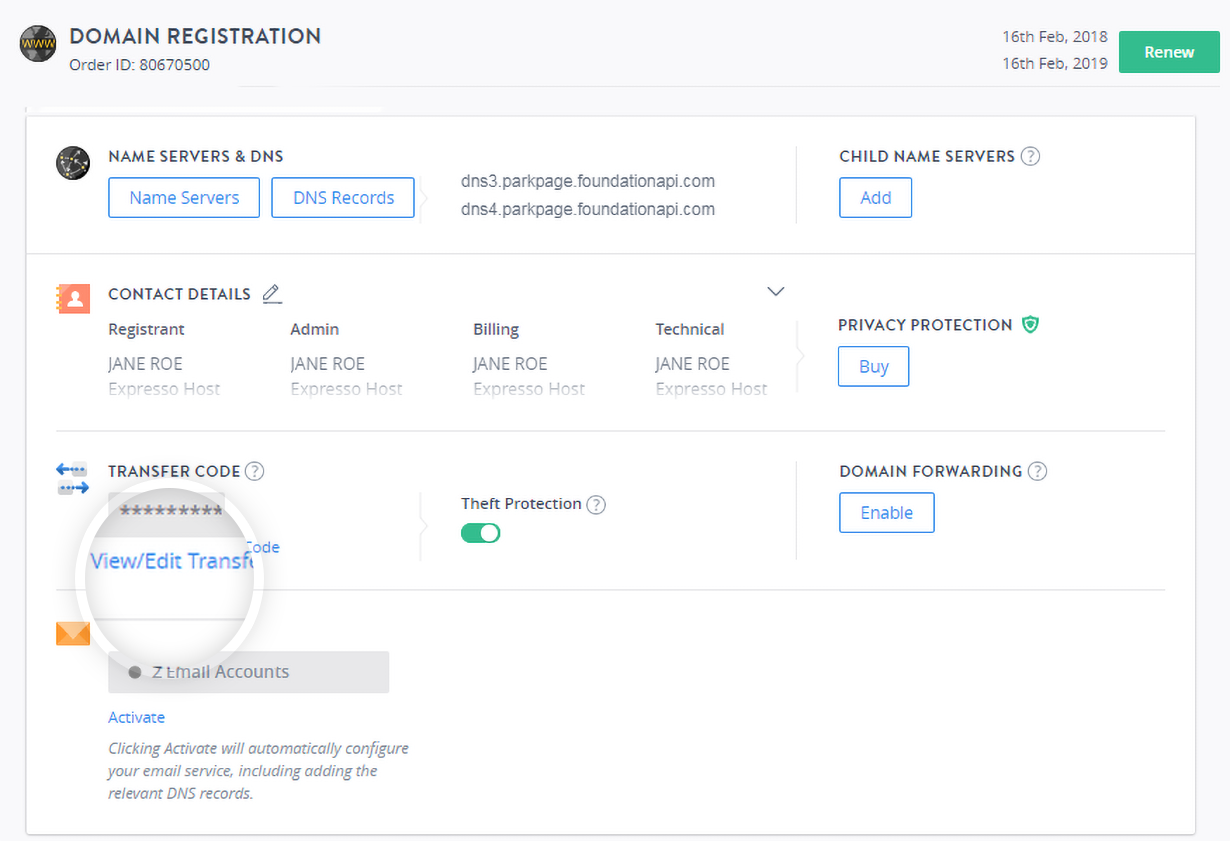
Under the TRANSFER CODE section, click View/Edit Transfer Code.
Expired Domain Name Related Information
NoteIn case of an expired domain name, its Order Information view will display the message -
AttentionYour domain has expired. Any Services dependent upon the domain will not work.
Here, you need to first click the Remind me Later link and then the Domain Secret link.
-
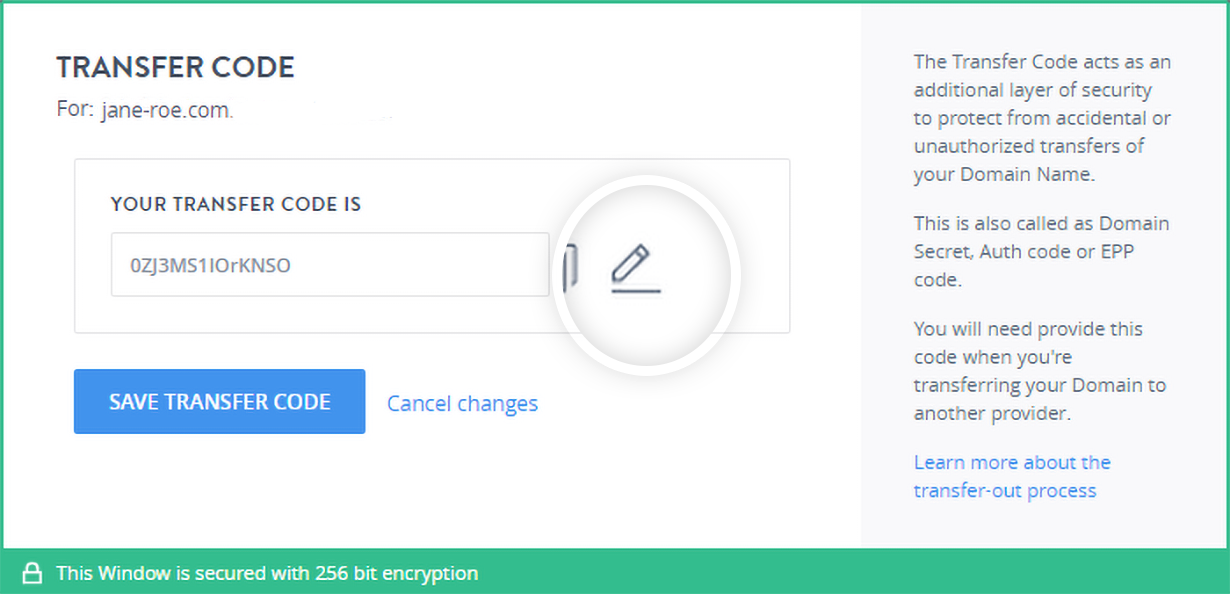
Here, the current Domain (Transfer) Secret will be displayed. In order to change it, click the edit icon to update the transfer code, provide a new Domain (Transfer) Secret in the textbox and click the SAVE TRANSFER CODE to update it.
Domain Name Extension Specific and Other General Conditions
Note-
Domain Secret character limit for different Domain Name Extensions
-
While modifying the Domain Secret of .COM, .NET domain names, the following rules apply:
-
The length of the Domain Secret can be from 8 to 32 characters only
-
The Domain Secret must contain 1 alphabet, 1 number as well as 1 special character.
-
-
The Domain Secret should ideally consist of alphanumeric as well as special characters like the ones mentioned below:
-
A -Z and a - z
-
0 - 9
-
! " # $ % & ' ( ) * + , - . / : ; < = > ? @ [ \ ] ^ _ ` { | } ~
However, certain TLDs do not support usage of special characters in the Domain Secret:
-
-
In case of a .COM, .NET domain names the Domain Secret field may be blank. In order to set it, provide a new Domain (Transfer) Secret in the textbox and click the Save Transfer Secret button.
-
Once a domain name having an associated Domain (Transfer) Secret is Transferred to from another Registrar, a new Domain (Transfer) Secret is set for such a domain name. This process is implemented from a security perspective.
-